

We at Bluepear believe that a truly useful Google Ads competitor analysis needs to look beyond a standard checklist.
Looking at keywords, ad copy, and landing pages is a good starting point. But your paid search environment can also include resellers using your brand in their ads, coupon affiliates intercepting high-intent traffic, or campaigns that appear only in specific locations or at particular times. These hidden activities can inflate CPCs, divert branded traffic, and create legal or compliance risks without appearing in a conventional Google report. In this guide, we'll give you a practical checklist of tools to help you choose the right solution quickly. Then, we'll walk through how to conduct a complete analysis and which less obvious factors to check before you draw conclusions.
Best Google Ads Competitor Research Tools by Use Case
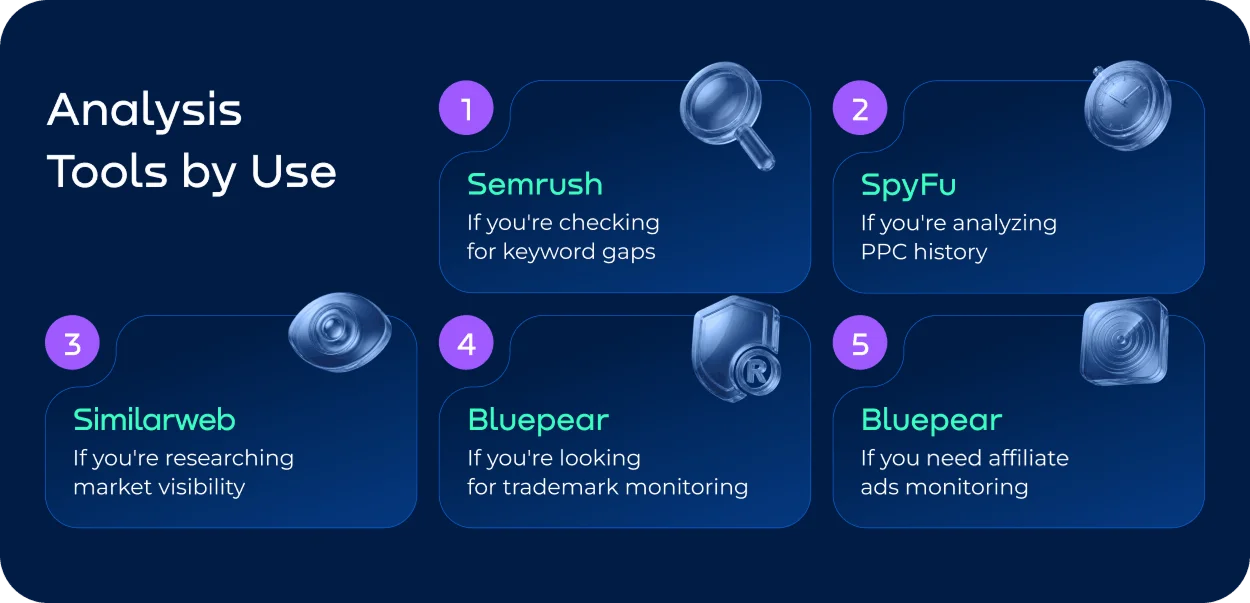
There is no single tool that gives you a complete picture of competitor activity across Google Ads. The right choice depends on what exactly you need to investigate. The table below focuses on the most useful tools and reports for each task.
| Need | Best Tools |
|---|---|
| Analyze keywords | ● Semrush — Advertising Research ● Ahrefs — Site Explorer, Paid keywords ● SpyFu — PPC Research |
| Conduct an ad copy analysis | ● Google Ads — Ads Transparency Center ● Semrush — Advertising Research ● SpyFu — Ad History |
| Check PPC history | ● SpyFu — PPC Ad History ● Semrush — Advertising Research |
| Assess market share | ● Similarweb — Market Overview ● Similarweb — Ad Intelligence |
| Get auction insights | ● Google Ads — Auction Insights |
| Track competitors' display ads | ● AdClarity — Display Advertising ● Adbeat — Competitive Ad Intelligence ● Similarweb — Ad Intelligence |
| Analyze Shopping ads | ● Semrush — PLA Research ● Similarweb — Ad Intelligence |
| Do landing page analysis | ● Semrush — Advertising Research ● Similarweb — Ad Intelligence |
| Set up trademark monitoring | ● Bluepear — Paid Results ● Google Ads — Ad Transparency Center |
| Set up affiliate PPC monitoring | ● Bluepear — Non-Compliant Affiliates |
If you're looking for a broader overview of competitor monitoring across paid, organic, and social channels, read our article on competitor monitoring tools.
Traditional Google Ads Competitor Analysis
According to WordStream's 2025 Google Ads benchmarks, CPC increased for 87% of industries, while the average Google Ads CPC rose from $4.66 in 2024 to $5.26 in 2025. That makes competitor analysis more than a benchmarking exercise. Understanding who is competing for the same demand can help explain where rising acquisition costs are coming from.
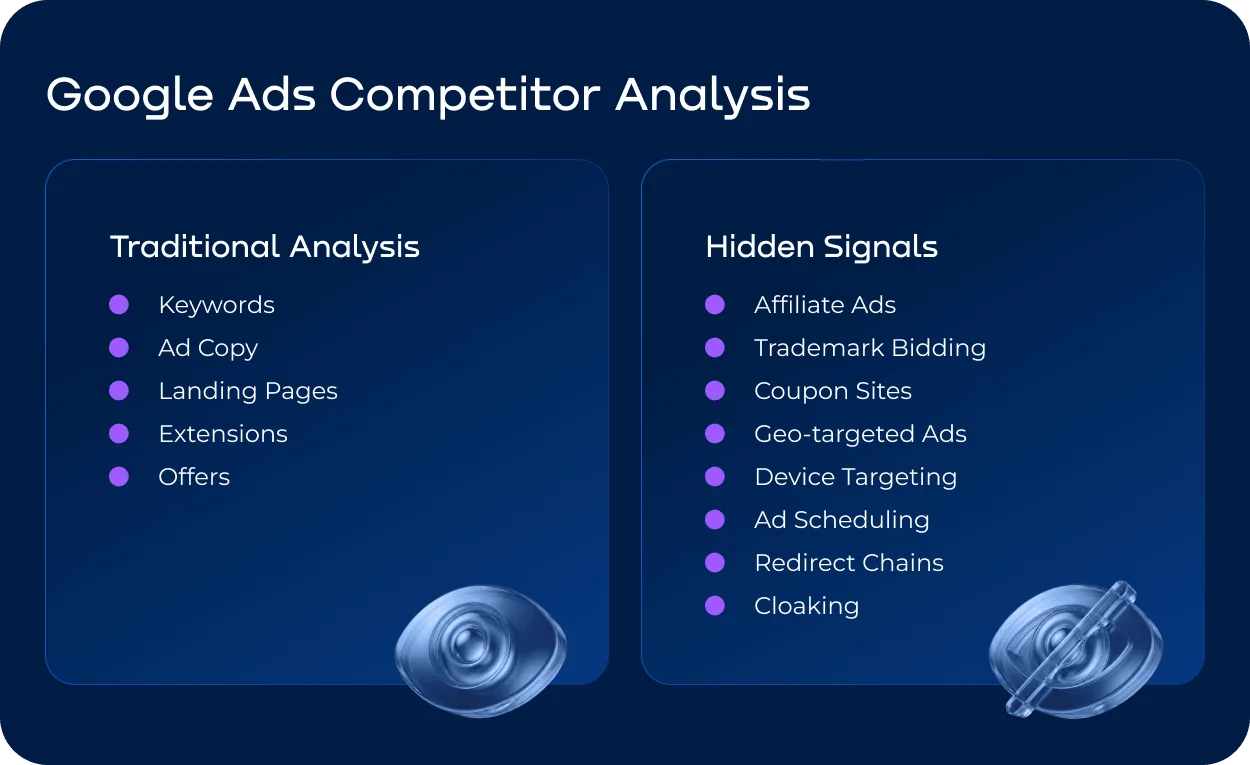
A traditional AdWords competitor analysis starts with the elements you can observe and compare directly: keywords, competitor ads, landing pages, offers, and campaign assets. These checks help explain how competitors attract and convert paid traffic and where their strategy differs from yours.
If you want to learn more about what can be done about some of the common Google Ads issues, read our AdWords complaint article.
Competitor Keyword Analysis
Start by identifying the keywords competitors bid on, with particular attention to branded, high-intent, and commercially valuable terms. Competitor research tools such as Semrush and SpyFu can show paid keywords, estimated traffic, and changes in competitors’ PPC activity. Compare your keyword coverage to identify gaps, overlaps, and areas where competitors may be competing aggressively for the same demand.
Competitor Ad Copy Analysis
Compare competitors’ headlines, descriptions, calls to action, offers, and value propositions. Look for recurring themes: price claims, discounts, free delivery, guarantees, product benefits, or messaging designed to differentiate the brand.
Track how this messaging changes over time. A new headline or offer can signal a shift in positioning, a new promotion, or a response to changing market conditions.
Landing Page Analysis
Look beyond the competitor ads themselves to see where competitors send paid traffic and what happens after the click.
Compare page structure, offers, pricing, CTAs, product information, trust signals, and message match between the ad and landing page. Pay particular attention to elements that reduce friction or give competitors an advantage in conversion.
Offers, Extensions, and Messaging
Review the additional information that makes competitor ads more prominent or persuasive: promotions, prices, discounts, sitelinks, callouts, structured snippets, and other assets.
Look for patterns in how they frame their offer and which benefits they consistently emphasize. These patterns can reveal positioning opportunities that a keyword report alone will not show.
Shopping Ads
For e-commerce brands, competitor research should also cover Shopping ads. Compare product titles, images, prices, promotions, ratings, availability, and the products that appear most often for commercially valuable searches.
The goal is to understand which products and offers competitors put in front of potential customers and how that compares with your own Shopping visibility.
Display Ads
Display advertising requires a different approach because creatives can appear across a much wider network of sites and formats. To track competitors' display ads, examine their creatives, messaging, formats, placements, and frequency where reliable data is available.
Look for patterns rather than individual banners: which products competitors promote, what offers they use, how often creatives change, and whether their messaging differs across audiences or campaigns. This can reveal parts of a competitor's acquisition strategy that are invisible in Search results.
The Hidden Layer of PPC Competition
Here’s something to consider: direct competitors aren’t your only competition in search. The same search results can include affiliates, coupon sites, comparison websites, resellers, marketplaces, trademark bidders, and even brand impersonators.
This means a Google Ads competitor analysis focused only on known competition can miss a significant part of the paid-search environment. For legal and brand protection teams, it can also mean missing unauthorized use of trademarks or misleading ads that divert customers away from the brand.
Some of these activities are easy to spot. Others are designed to appear only under specific conditions, which makes a single manual search an unreliable way to assess what is actually happening. Only specialized competitor research tools can reveal these hidden threats in Google and other search engines.
What Manual Checks Miss
PPC management is becoming harder, as seen from recent industry data. In a 2025 global survey, 52% of PPC marketers said managing campaigns is harder than it was two years earlier, citing competition and changes in available data.
One reason is that the competitive landscape is no longer easy to capture with occasional manual SERP checks.
A manual check answers one very specific question: What ads can I see right now, from this particular location, device, and search? It does not necessarily tell you what customers see at other times or under different conditions.
| You check once | What actually happens |
|---|---|
| Monday morning | Ads appear on weekends |
| Desktop | Mobile-only campaigns |
| New visitor | Returning visitor ads |
| One city | Geo-targeted campaigns |
| One search | Rotating creatives |
| Direct click | Redirect chain |
mFilterIt reported that cloaking was involved in 25% of affiliate fraud cases in 2022, rising to 45% in 2024.
This is where geo-targeted ads, device-specific campaigns, ad scheduling, redirect chains, and cloaking can change the picture. An affiliate may bid on a branded keyword only in selected locations or at certain hours. A redirect may send users through several domains before reaching the intended destination. Cloaking can make the content shown to reviewers differ from what ordinary users see.
When the behavior shown to different users can differ, doing manual Google Ads competitor analysis once is not enough to establish what is actually happening across your branded traffic every day.
Affiliate and trademark bidding deserve particular attention. An affiliate using your brand name in paid search may look like just another advertiser in the SERP, while actually competing for traffic you are already paying to acquire. The exact rules and the right course of action depend on the circumstances and Google's policies. For an overview, read our article on Google Ads trademark policy.
Saving €40,842 in Commissions: Why Continuous Monitoring Matters
Manual checks take time and can produce incomplete evidence. A recent use case from Bluepear reflects this.
Otrium, a fashion e-commerce company, suspected that some of their affiliates were running non-compliant campaigns. Manual checks confirmed some violations, but could not provide enough evidence to prove others.
Using Bluepear, Otrium monitored affiliate activity across seven European markets for six months. As a result, the company identified six violating affiliates and rejected 4,835 transactions, preventing €40,842 in non-compliant affiliate commissions.
The monitoring also uncovered affiliate practices that Otrium had not previously suspected. The value was therefore not just in confirming known violations, but in making hidden activity visible and collecting evidence that could be acted on.
If you want to see how many violations Bluepear can find in your affiliate program, sign up for a free trial.

Google Ads Competitor Analysis Checklist
Use this step-by-step workflow to move from a basic AdWords competitor analysis to a more complete view of the paid-search landscape:
- • Identify direct competitors and other advertisers competing for your branded and high-intent traffic.
- • Compare competitors’ paid keywords and keyword coverage.
- • Review competitor ads, including headlines, descriptions, CTAs, offers, and positioning.
- • Compare landing pages, offers, pricing, CTAs, and conversion elements.
- • Review ad extensions and other assets that affect visibility and messaging.
- • Analyze Shopping ads, including products, prices, promotions, images, and ratings.
- • Track competitors' display ads, creatives, placements, formats, and messaging.
- • Compare PPC activity and changes over time.
- • Check Auction Insights and competitor overlap in your own Google Ads campaigns.
- • Check branded searches for affiliates, coupon sites, resellers, marketplaces, and comparison websites.
- • Check for trademark bidding and unauthorized use of brand terms.
- • Compare results across locations to identify geo-targeted activity.
- • Compare desktop and mobile results to identify device-specific campaigns.
- • Check different days and times to identify ad scheduling patterns.
- • Review redirects and destination URLs for unexpected domains or redirect chains.
- • Check for signs of cloaking or differences between observed and reported ad behavior.
- • Track changes in competitor ads — creatives, offers, landing pages, and bidding activity.
- • Document violations and collect evidence where PPC compliance issues are identified.
- • Turn recurring checks into continuous monitoring.
Our Conclusion on Google Ads Competitor Analysis
A useful PPC competitor analysis should answer more than “Who is bidding on the same keywords?” The more valuable question is whether you understand the full competitive environment around your paid traffic.
For marketing teams, this means combining competitive intelligence with ongoing observation. Competitor strategies change, but so do affiliate campaigns, offers, ad creatives, and branded search activity. A report that was accurate last month may already be outdated.
For brand and legal teams, the priority is slightly different: not every advertiser competing with your brand is a legitimate competitor. Some may be partners, resellers, or affiliates operating outside program rules. Others may be using your trademarks or redirecting users in ways that create compliance risks.
The best approach is therefore to treat competitor analysis as a shared source of intelligence for marketing, PPC, affiliate, and brand protection teams. It can help identify market opportunities, explain unexpected changes in paid traffic, and flag activity that deserves investigation before it turns into wasted spend or lost revenue.
FAQ
Can you see exactly how much a competitor spends on Google Ads?
No. Google does not provide competitors’ actual budgets, CPCs, CPA, or conversion data. Third-party platforms can estimate spend and traffic based on their own datasets, but these figures should be treated as directional rather than exact.
For decision-making, it is usually more useful to combine several signals — such as ad frequency, keyword coverage, impression share, historical activity, and changes in messaging — instead of treating an estimated competitor budget as a precise number.
Does Auction Insights show all competitors bidding on your keywords?
No. Auction Insights shows advertisers that participated in the same eligible auctions as your campaigns. It is therefore useful for understanding your actual auction competition, but it is not a complete database of every company targeting the same market.
This distinction matters because an affiliate, reseller, or competitor may appear only under certain locations, devices, schedules, or search terms. Research and repeated Google SERP checks with the help of special competitor research tools such as Bluepear can reveal additional advertisers that a single Auction Insights report does not capture.
Why can two manual Google Ads competitor checks produce different results?
Because the SERP is not a fixed competitive snapshot. Competitor ads can vary by location, device, time, audience, query, and other campaign conditions.
Checking a branded keyword once on desktop in London on Monday morning tells you what was visible under those conditions — not necessarily what another customer saw on mobile on Saturday evening in Manchester.
For that reason, meaningful competitor analysis should compare observations over time and across relevant market conditions.
How often should you conduct a Google Ads competitor analysis?
A full strategic review can be performed monthly or quarterly, depending on the market. But certain signals deserve continuous monitoring — particularly branded PPC activity, affiliate campaigns, trademark bidding, and major competitor changes.
The key distinction is between analysis and monitoring. Analysis helps you understand the market; monitoring helps you notice when the market changes.
Can competitor ads analysis detect trademark bidding or other PPC violations?
It can help identify potential violations, but seeing competitor ads is only the first step. You need to establish what the advertiser is doing, whether they are authorized, and whether the activity actually violates your agreements, trademark rights, or applicable advertising policies.
For example, a branded ad from an affiliate is not automatically a violation. The relevant question is whether the affiliate is using your trademark or traffic in a way that breaches your rules or creates another compliance issue.
How can you track competitors' display ads?
Tracking competitors' display ads is less about collecting a gallery of banners and more about reconstructing the strategy behind them. Look at the creatives competitors use, the products or offers they promote, the messaging and calls to action, formats, publishers or placements, and how frequently their campaigns change.
The most useful signal is often the pattern over time. If a competitor repeatedly promotes the same product or offer across different creatives, that can indicate a campaign priority. A sudden change in messaging, creative format, or promoted product may signal a new campaign, seasonal push, or change in positioning.
For a more complete picture, combine creative intelligence with your own market data. A competitor's display presence matters most when it overlaps with the audiences, products, or markets where you are also trying to acquire customers.

See who bids on your brand words in Google